 QR Workshop
iPhone · iPad · iOS 17 or later
Look first.
Then open.
Scanning a QR code takes a moment. Knowing where it leads matters. QR Workshop shows you the contents before you open a link, creates your own QR codes and turns Wi-Fi details into models for 3D printing.
LINK PREVIEW
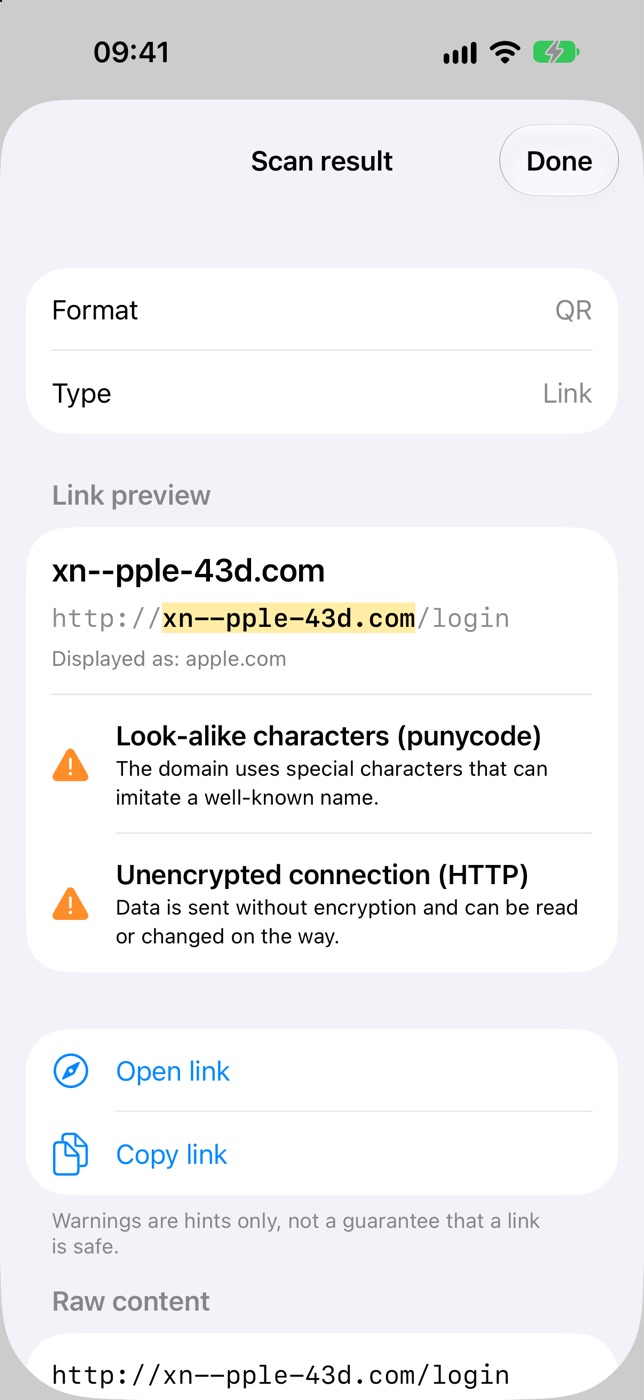
Look before you open
Scan QR codes and barcodes with the camera, from photos and screenshots, or from PDFs such as tickets and invoices. The preview shows the full URL and highlights the domain. Notices flag HTTP, IP addresses used instead of domains, and punycode. Links never open automatically.
SHORT LINKS
Only with your consent
A short link hides its real destination. QR Workshop resolves it only after you agree, for that one operation, and then checks the destination again on your device. Opening it is a separate tap.
CREATE
Your own codes
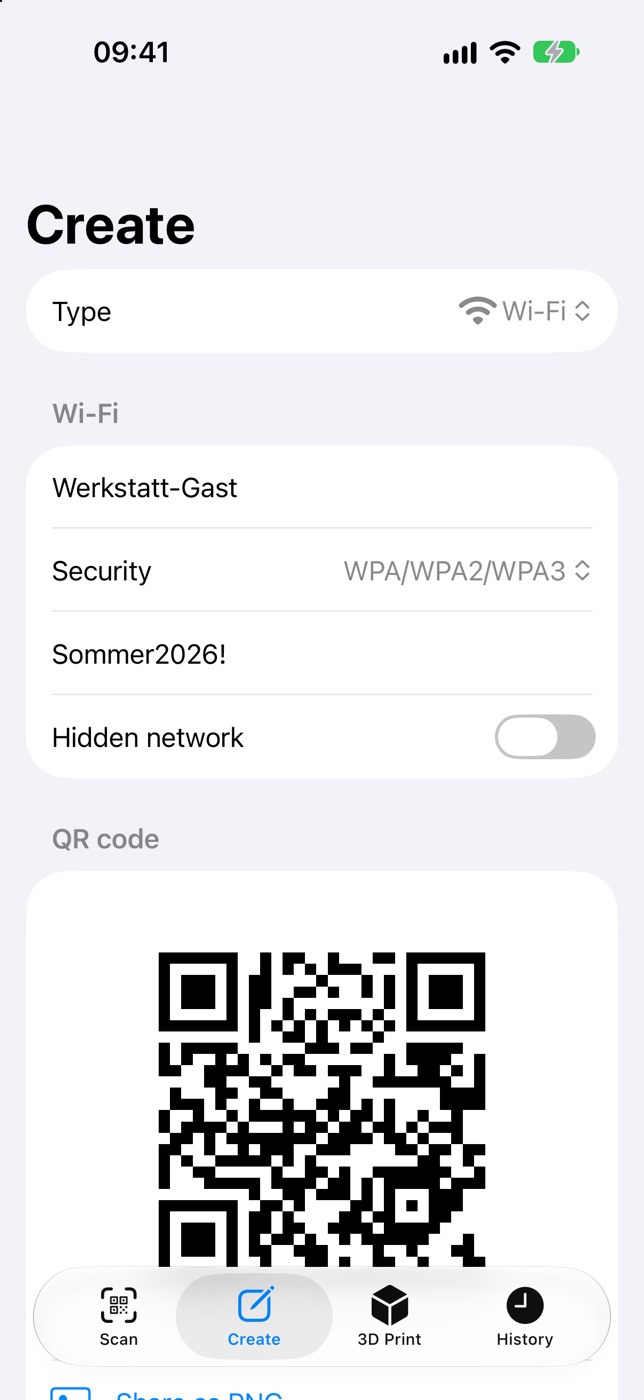
Make QR codes for links, text, Wi-Fi, contacts, email and phone numbers. Share them as PNG or PDF.
WI-FI SIGN
Three free templates
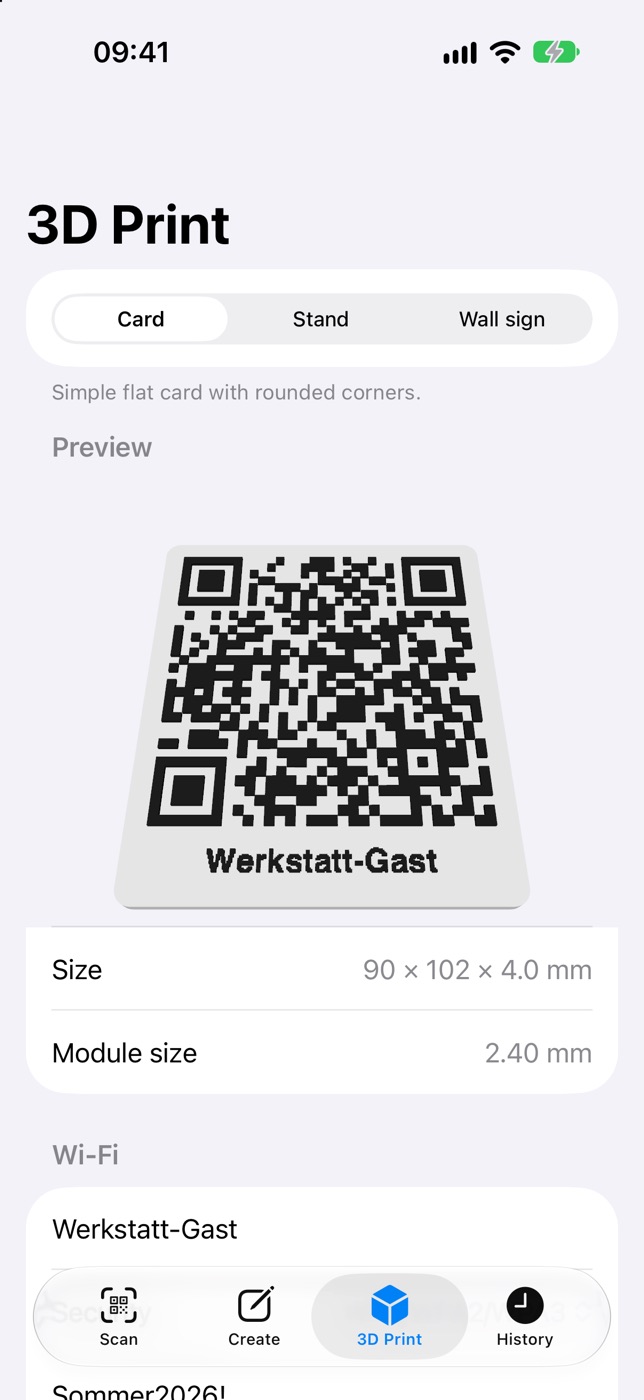
A card, a stand and a wall sign. Adjust size, base thickness, code height and label, then export 3MF with separate base and QR-code parts – one variant for Bambu Studio/OrcaSlicer, one for PrusaSlicer – or STL.
HISTORY
Searchable, local
Find previous scans in a searchable history on your device. Delete individual entries or the entire history.
LOCAL
Not cloud-based
Code processing and history stay on your device. No account, no backend, no tracking. The local link preview works offline.
Three things it does
Inspect, create, print – on iPhone and iPad, in English and German.
See what a code contains
Version 1.0 is free: three individual templates, no purchases and no subscription. German and English. For iPhone and iPad running iOS/iPadOS 17 or later.
Coming soon to the App Store